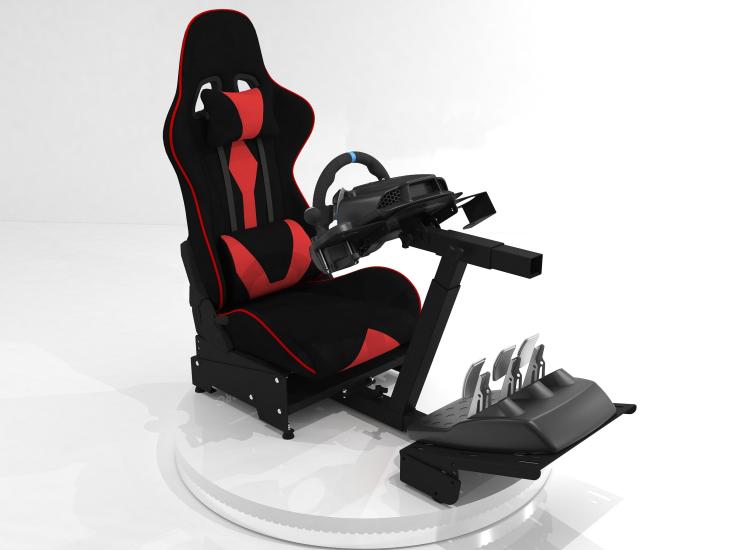
The Ultimate Gaming Chair Guide

By | Published on


The Ultimate Gaming Chair Guide

The Ultimate Gaming Chair Guide: Health, Comfort, and Performance for PC Gamers

| | 2,500+ words

Table of Contents


  • Why Your Gaming Chair Matters
  • Essential Chair Features
  • Material Choices
  • Health Risks
  • Prevention Strategies
  • Investment Considerations

Key Insight: For serious PC gamers, the choice of gaming chair is far more than just picking a cool-looking seat. With gaming sessions often extending for hours, the chair you choose can significantly impact your performance, comfort, and most importantly, your long-term health.

Why Your Gaming Chair Matters More Than You Think

The average dedicated PC gamer spends 6-8 hours daily in their chair, with some hardcore enthusiasts clocking even more time. Over weeks, months, and years, this adds up to thousands of hours in a seated position. What might seem like minor discomfort today can evolve into serious health issues tomorrow if proper ergonomic principles are ignored.

Health Fact: Studies show that prolonged sitting in poorly designed chairs increases the risk of chronic lower back pain by up to 40% among regular computer users.


Essential Features Every Gaming Chair Should Have

Lumbar Support: Your Lower Back's Best Friend


Proper lumbar support is non-negotiable. The natural S-curve of your spine needs support at the lower back region to prevent slouching and maintain proper posture. Look for chairs with:

  • Adjustable lumbar support that can be positioned at your natural curve
  • Firm but comfortable padding that doesn't compress completely under weight
  • The ability to adjust both height and depth of lumbar support


Adjustable Armrests: Supporting Your Gaming Performance

Your armrests should support your arms at a 90-degree angle while keeping your shoulders relaxed. Quality gaming chairs offer:

  • Height adjustment to match your desk level
  • Width adjustment to accommodate different body types
  • Forward/backward adjustment for optimal positioning
  • Some models include 4D armrests with rotational capabilities


Seat Height and Depth Considerations

The seat should allow your feet to rest flat on the floor with thighs parallel to the ground. Key measurements include:

  • Seat height range that accommodates your leg length
  • Seat depth that supports your thighs without pressure behind your knees
  • Adequate width to accommodate your hips comfortably


Backrest Angle and Recline Function

A good gaming chair should offer:

  • Backrest recline between 90-135 degrees
  • Lockable positions for different activities (gaming vs. relaxing)
  • Smooth recline mechanism that supports your weight throughout the range


Material Choices and Their Impact

Breathable Fabrics vs. Leather

Mesh and Fabric Options:

  • Superior breathability for long gaming sessions
  • Less heat retention
  • Often more affordable
  • May wear faster than leather alternatives

Leather and Faux Leather:

  • Durable and easy to clean
  • Professional appearance
  • Can become hot and sticky during extended use
  • Higher maintenance requirements


Foam Quality and Density

The foam used in your chair determines long-term comfort and support:

  • High-density foam maintains shape and support over time
  • Memory foam contours to your body but may retain heat
  • Cold-cure foam offers excellent durability and support


Health Risks of Poor Chair Selection

⚠️ Health Warning: Poor seating choices can lead to serious long-term health complications that may require medical intervention and significantly impact your quality of life.

Immediate Discomfort and Pain

Poor seating choices can lead to immediate issues including:

  • Lower back pain from inadequate lumbar support
  • Neck strain from improper monitor positioning
  • Shoulder tension from poorly positioned armrests
  • Hip discomfort from seats that are too narrow or poorly padded


Long-Term Musculoskeletal Problems

Extended periods in an inappropriate chair can result in serious health complications:

Chronic Lower Back Pain:

  • Herniated or bulging discs
  • Chronic muscle strain and spasms
  • Development of abnormal spinal curvatures
  • Potential for long-term mobility issues

Postural Deformities:

  • Forward head posture leading to cervical spine issues
  • Rounded shoulders and upper back hunching
  • Hip flexor tightness and weakness
  • Development of "gamer's hunch" or kyphosis

Circulatory Issues:

  • Poor blood circulation in legs from seat pressure
  • Increased risk of deep vein thrombosis
  • Swelling in feet and ankles
  • Varicose vein development

Repetitive Strain Injuries:

  • Carpal tunnel syndrome from poor wrist positioning
  • Tennis elbow from inadequate armrest support
  • Thoracic outlet syndrome from shoulder compression


Metabolic and Cardiovascular Health

Prolonged sitting in poorly designed chairs contributes to:

  • Increased risk of cardiovascular disease
  • Higher likelihood of developing type 2 diabetes
  • Slower metabolism and weight gain
  • Increased risk of certain cancers


Prevention Strategies and Best Practices

The 20-20-20 Rule and Beyond

While having the right chair is crucial, proper habits are equally important:

  • Take a 5-10 minute break every hour
  • Perform simple stretches at your desk
  • Use a standing desk converter periodically
  • Maintain proper hydration to encourage regular movement
Expert Recommendation: Follow the 50-10 rule: For every 50 minutes of gaming, take a 10-minute active break to stand, stretch, and move around.


Ergonomic Setup Beyond the Chair

Your chair is part of a larger ergonomic system:

  • Monitor positioning: Screen should be at eye level to prevent neck strain
  • Input devices: Keyboard and mouse should allow relaxed shoulder positioning
  • Lighting: Adequate lighting to prevent leaning forward
  • Desk height: Proper desk height to complement chair adjustments


Investment Considerations

Budget vs. Long-Term Value

While gaming chairs range from $100 to over $1,000, consider:

  • Cost per hour of use over the chair's lifespan
  • Potential medical costs from poor ergonomics
  • Impact on gaming performance and enjoyment
  • Warranty and build quality factors
Value Analysis: A $500 chair used 6 hours daily for 5 years costs approximately $0.05 per hour - less than the potential cost of a single physical therapy session.


When to Upgrade

Consider replacing your chair when:

  • Adjustments no longer hold their position
  • Padding has compressed significantly
  • You experience regular discomfort despite proper setup
  • Your gaming habits or physical needs have changed


Conclusion

Selecting the right gaming chair is an investment in your health, comfort, and gaming performance. The consequences of poor chair selection extend far beyond temporary discomfort, potentially leading to serious long-term health issues that can affect your quality of life and gaming enjoyment.

Take time to research, test when possible, and prioritize ergonomic features over aesthetics. Your future self will thank you for making an informed decision that supports both your gaming passion and your physical well-being. Remember that the best gaming chair is one that fits your body, supports proper posture, and encourages healthy habits during those marathon gaming sessions.

Final Recommendation: By understanding these principles and making informed choices, you can continue enjoying PC gaming for years to come while maintaining your health and comfort. Your chair is not just furniture - it's a crucial component of your gaming setup that directly impacts your long-term wellbeing.